Admin Guide
The super-admin back-office lives under /admin and is the control room for the whole CallMineAI platform: every vendor (tenant), plan, payment, calling engine and system setting is managed from here. It is a separate authentication guard from the customer app — admins sign in with an AdminUser account, not a vendor login.
https://your-domain.com/admin
Roles gate every screen
Each admin route is protected by a granular permission (e.g. view_clients, manage_settings, view_plans). Sidebar items only appear for admins whose role grants the matching permission. See Roles & Permissions.
The sidebar is grouped: Overview, Customers, Calling, Billing, Communication, Localization, Access control, and System. The sections below follow those groups.
Dashboard
/admin/dashboard
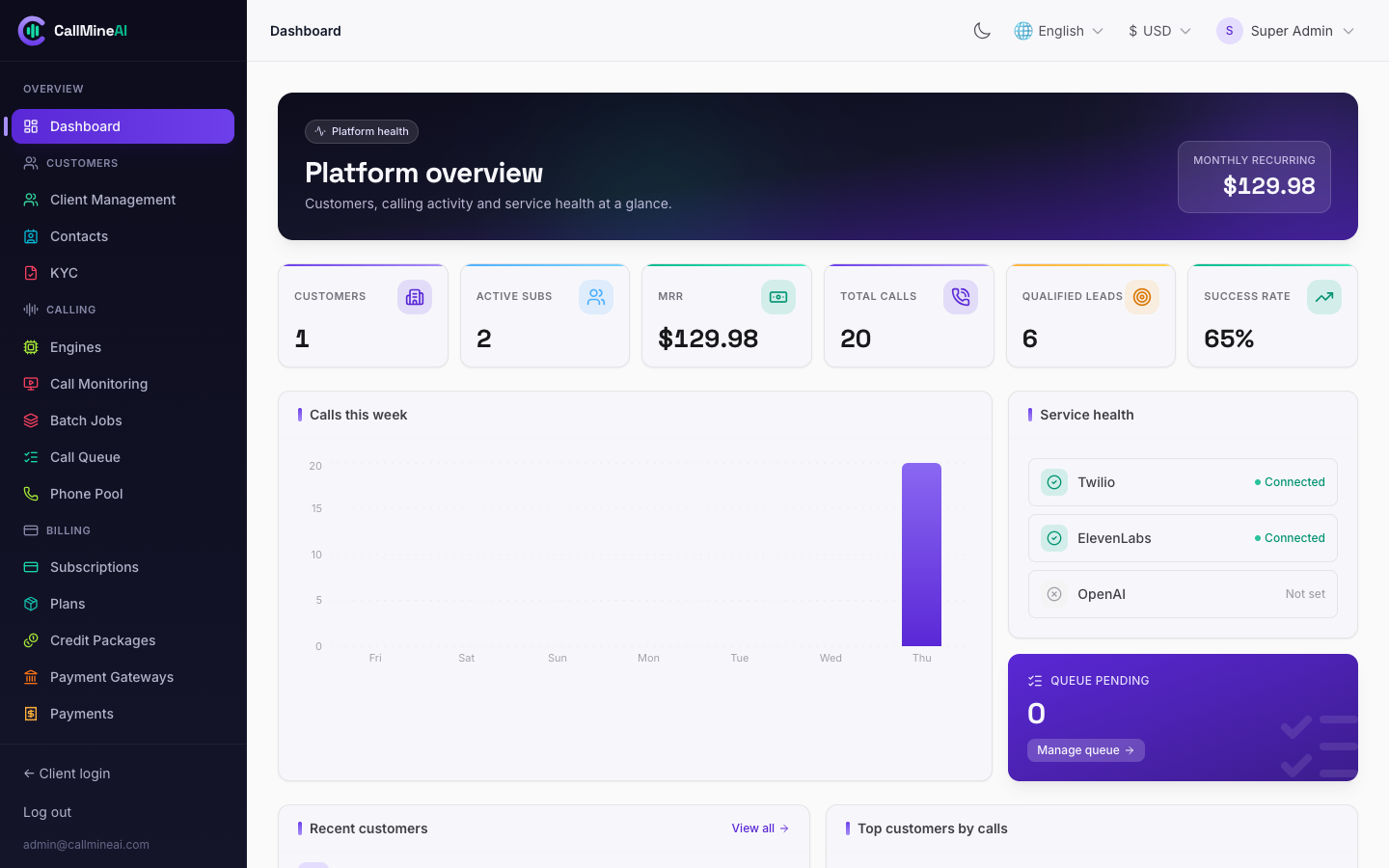
Platform overview — customers, MRR, calling activity and service health at a glance.
Platform landing page: vendor and call KPIs, a calls trend chart, service-health tiles (telephony / voice / LLM / queue configuration status) and a list of the most recent vendors. Use it as your daily at-a-glance health check.
Customers
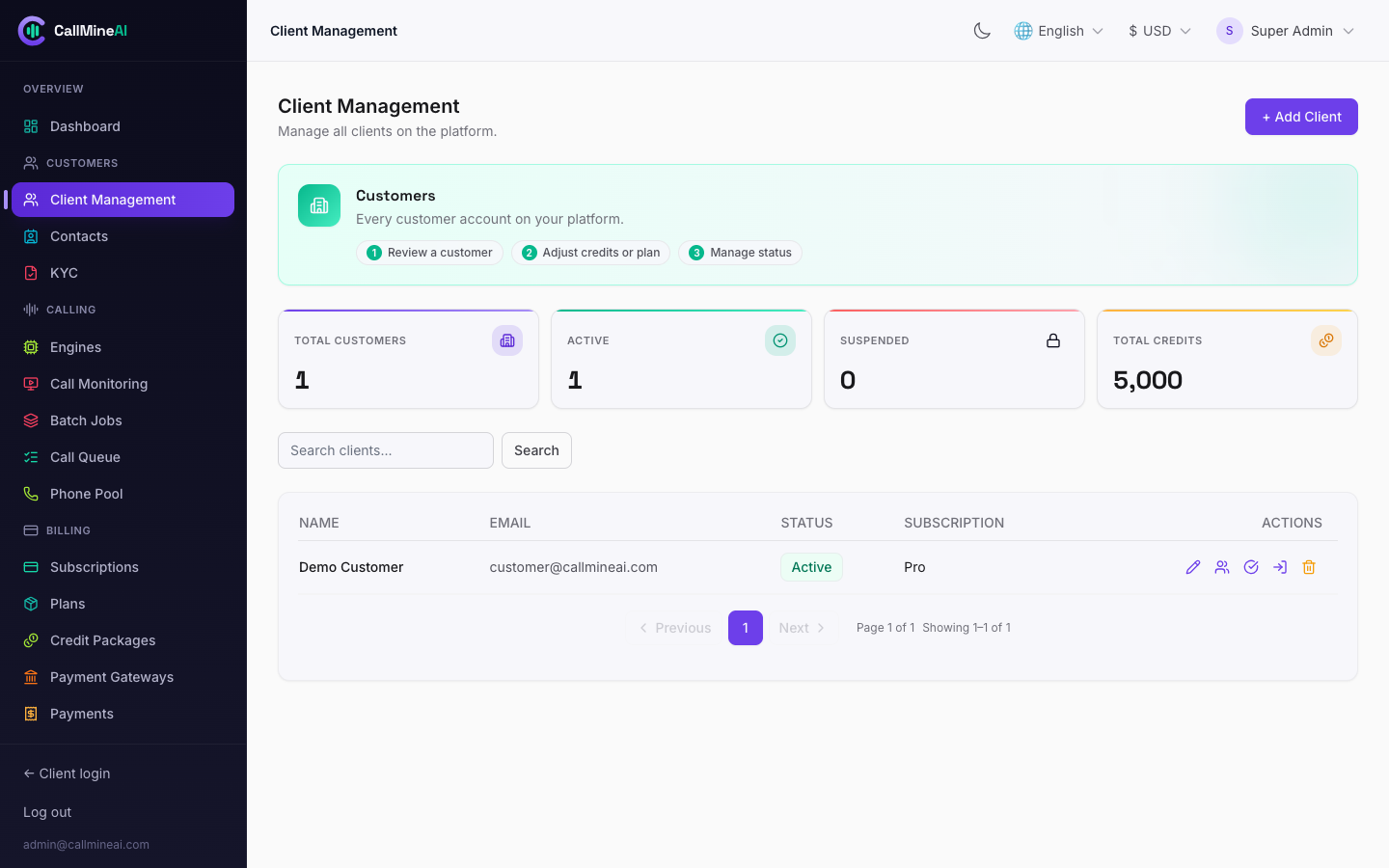
Client Management — every tenant account with status, plan and quick actions.
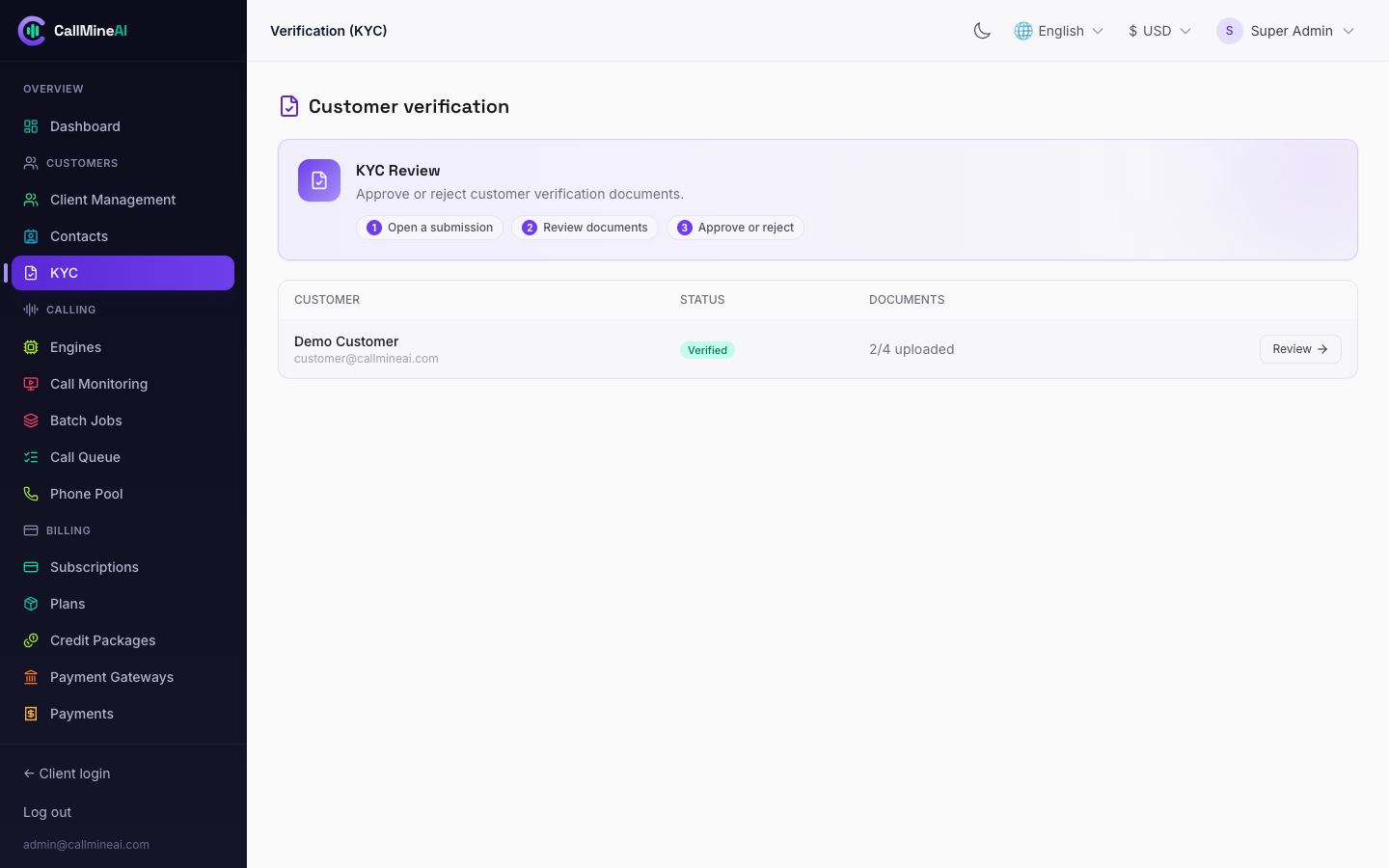
KYC review queue for verifying customer identity/business documents.
Clients (vendors / tenants)
/admin/clients
A client is one vendor organization; all calling data is scoped to it by client_id. From this area you can:
| Action | How |
|---|---|
| Create a vendor | New client — sets name, owner email, initial plan |
| Manage users | /admin/clients/{client}/users — add / edit / remove the vendor's team members |
| Assign a plan | Assign plan (clients.assign-plan) — switches the vendor's active plan |
| Manage credits | Credits (clients.credits) — grant or deduct calling credits as an admin adjustment |
| Impersonate | Impersonate (clients.impersonate) — log in as the vendor to reproduce issues |
| KYC status | Shown per client; reviewed in the KYC area below |
Credit grants/deductions are written to the credit ledger (the single source of truth for balances). See Billing & Credits.
Contacts oversight (read-only)
/admin/contacts
Platform-wide, read-only view of vendor contacts with masked phone numbers, for support and abuse investigations. Admins cannot edit vendor contact data here.
Verification / KYC review
/admin/kyc
/admin/kyc/{client}
Review submitted KYC documents (photo ID, business registration, tax certificate, caller authorization). Approve or reject each document (kyc.review) and set the client's overall KYC status (kyc.status). KYC status is enforced downstream: a vendor must be verified before buying numbers or launching campaigns (see Campaigns & Calls).
Calling
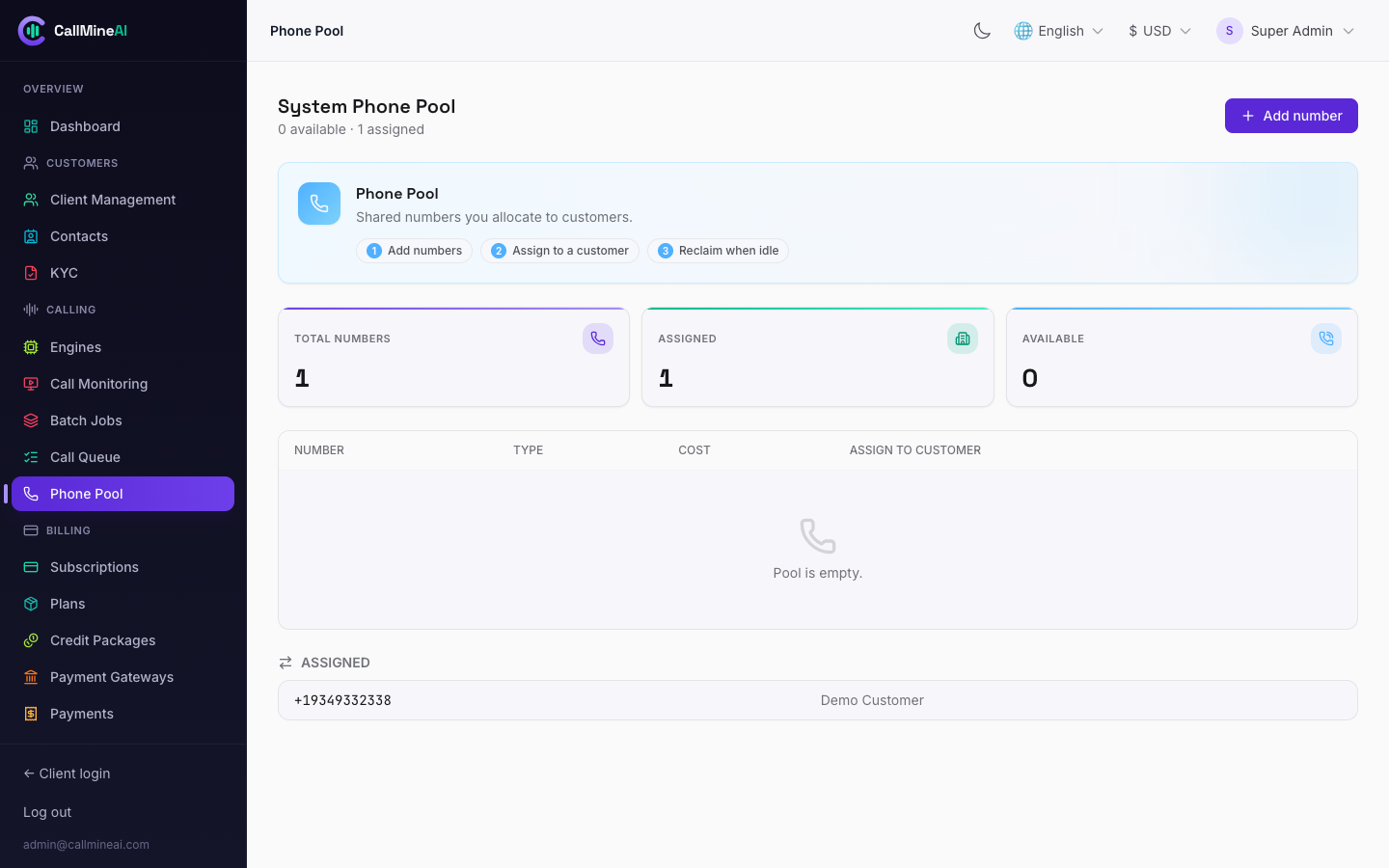
The system phone-number pool assigned across tenant accounts.
Engines
/admin/engines
/admin/engines/providers/{provider}
Central place to configure the calling providers and enable/disable engines. An engine is a voice + telephony pairing (e.g. ElevenLabs + Twilio, OpenAI + Twilio, OpenAI + Plivo). Per-provider screens hold credentials, offer a Test action, and individual engines can be toggled on/off. See Voice AI and Telephony.
ElevenLabs voices (key pool)
/admin/elevenlabs-keys
ElevenLabs uses a load-balanced API-key pool with a concurrency cap per key — this is the real throttle on how many calls can run at once. From the ElevenLabs engine screen you can:
- Add / edit / remove keys (the API key is stored encrypted and never shown back — only a masked hint).
- Health check all keys (
elevenlabs-keys.health-check). - Sync voices (
elevenlabs-keys.sync-voices) — pull the voice catalog and upsert it by external ID so vendors can pick from it.
/admin/elevenlabs-keys redirects to this engine screen for backwards compatibility. More detail in Voice AI.
Call monitoring
/admin/call-monitoring
Platform-wide live view of calls in flight across all vendors.
Call queue
/admin/call-queue
The live dialer queue with stats and filters. Individual queued jobs can be retried (call-queue.retry) or cancelled (call-queue.cancel). Rows in the processing state pulse live. The queue mechanics are covered in Campaigns & Calls.
Batch jobs
/admin/batch-jobs
Oversight of bulk calling batches / campaigns across the platform. Admins can pause (batch-jobs.pause) or resume (batch-jobs.resume) a vendor's campaign.
Phone pool
/admin/phone-pool
System-owned numbers (client_id = null). Search and buy numbers via Twilio (or add them manually / BYO), then assign a number to a specific vendor (phone-pool.assign) or release it (phone-pool.release). See Telephony.
Billing
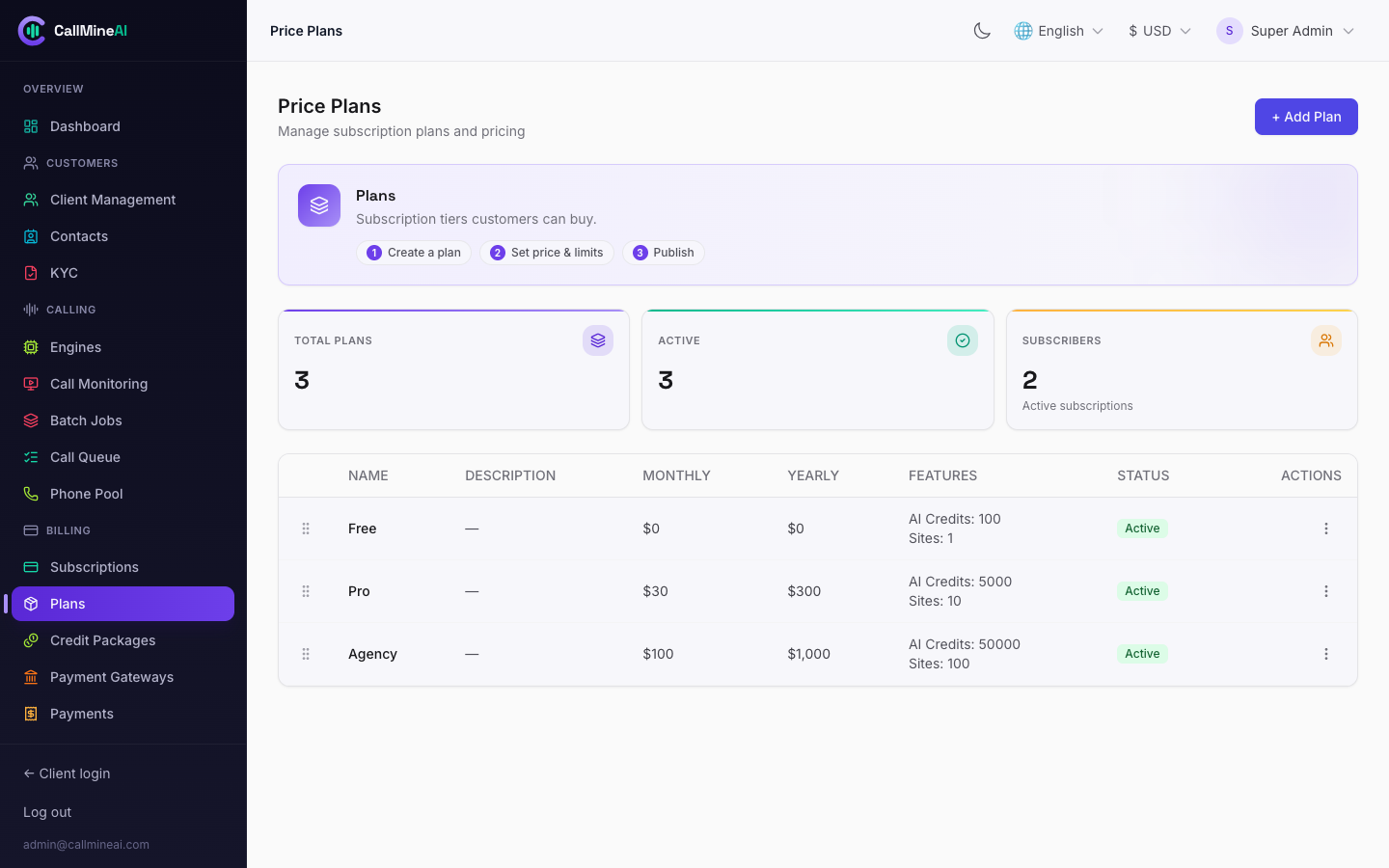
Plans with feature flags and calling limits. See Billing & Credits.
See Billing & Credits for the full model.
Subscriptions
/admin/subscriptions
All vendor subscriptions across plans and gateways.
Plans
/admin/plans
Define the products vendors subscribe to. Each plan carries calling limits (agents, campaigns, contacts, numbers, knowledge-base MB) and feature flags for the built-in add-ons (messaging, WhatsApp, REST API, team RBAC, SIP). Plans can be created, edited, duplicated (plans.duplicate), deleted, and drag-reordered (plans.reorder) to control display order on the pricing page.
Credit packages
/admin/credit-packages
Sellable bundles of calling credits (CRUD). Because gateway checkout is subscription-oriented, a vendor's credit purchase lands as pending; approve it here (credit-purchases.approve) to grant the credits into the vendor's ledger.
Payment gateways
/admin/payment-gateways
/admin/payment-gateways/{gateway}
Configure the platform payment gateways — Stripe, PayPal, Paddle. Gateways are super-admin only (vendors never see gateway credentials).
Payments
/admin/payments
Transaction history across all vendors and gateways.
Communication
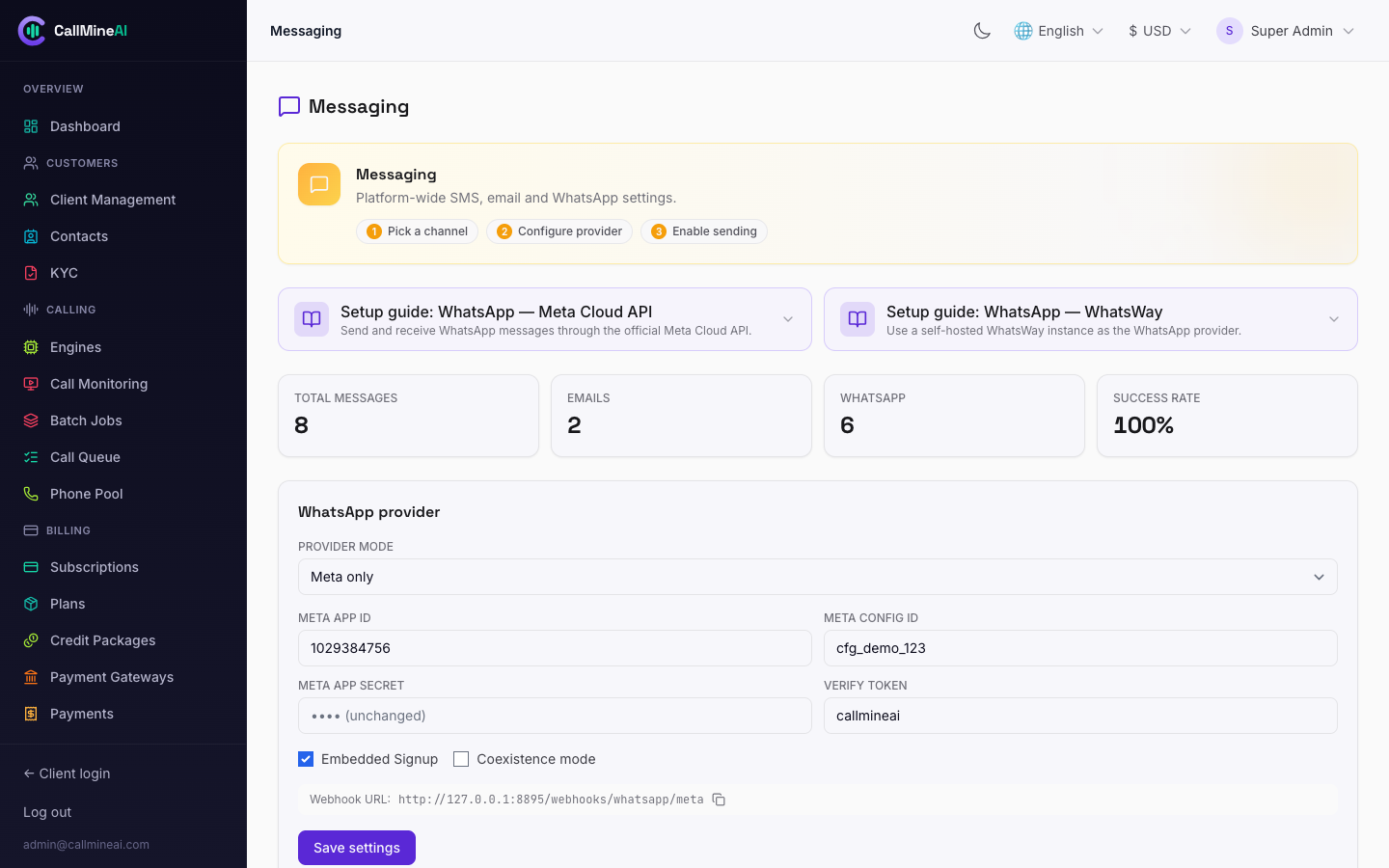
Messaging: WhatsApp provider mode (Meta / WhatsWay) and email system config.
Messaging
/admin/messaging
Global settings for the Email + WhatsApp add-on: choose the provider mode (both / whatsway / meta / disabled), enter Meta Cloud API config (app secret stored encrypted), and review platform-wide message logs and stats. Vendor-side usage is covered in Messaging.
Email system (SMTP + templates)
/admin/email-system
The unified email hub. Manage SMTP configurations (add, edit, activate one, delete, and send a test email) and the platform email templates (create / update / delete).
Templates were merged here
The old /admin/templates page no longer exists — email templates now live inside the Email System hub. /admin/templates permanently redirects to /admin/email-system.
Localization
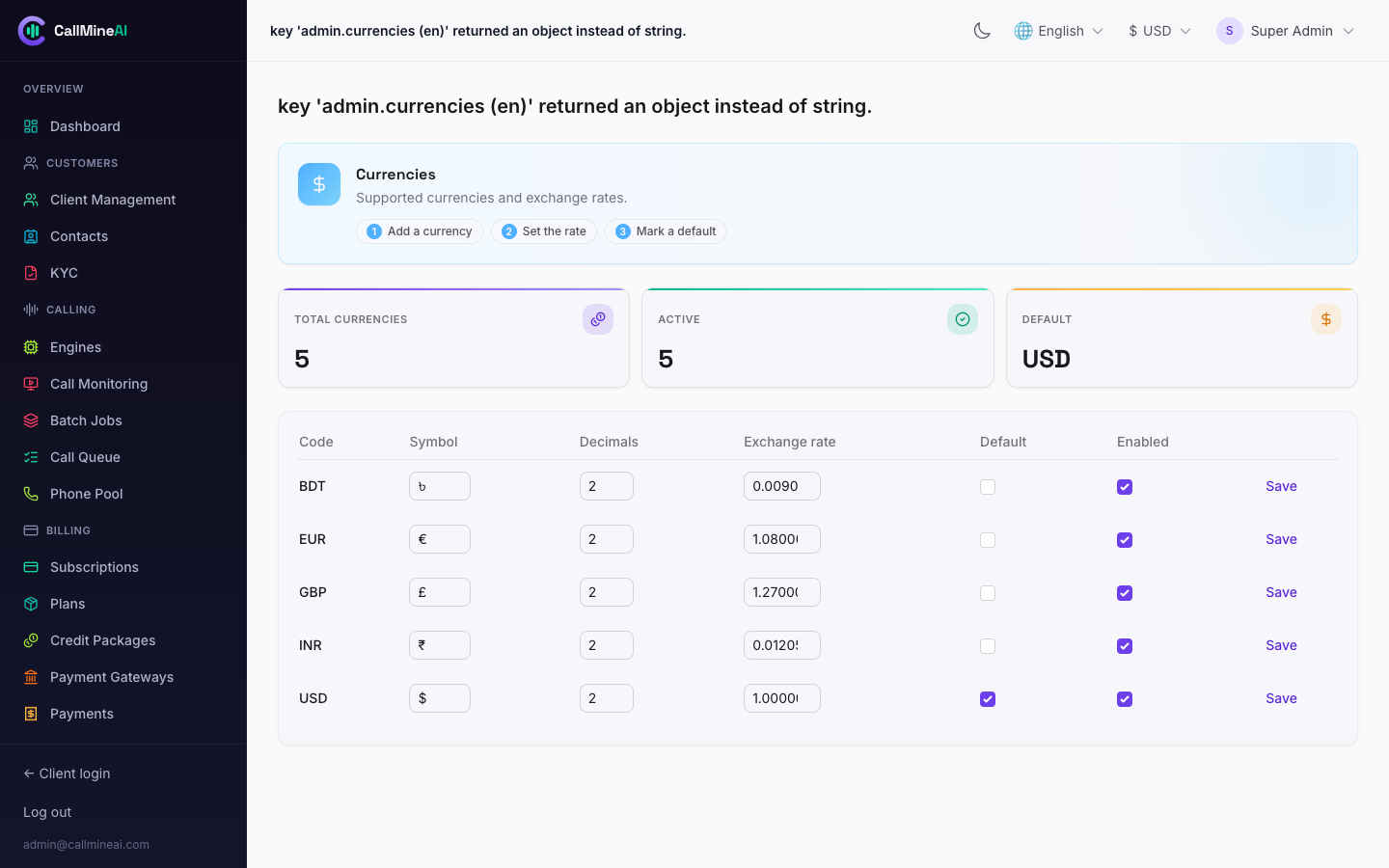
Multi-currency management with exchange rates. See Localization.
See Localization.
Currencies
/admin/currencies
Enable currencies and set exchange rates / formatting used across pricing and billing.
Languages / locales & translations
/admin/locales
Add locales, set the default, and toggle availability. Translations are edited inline and can be bulk-updated (translations.bulk) or machine-filled via auto-translate missing (translations.auto-translate).
Access control
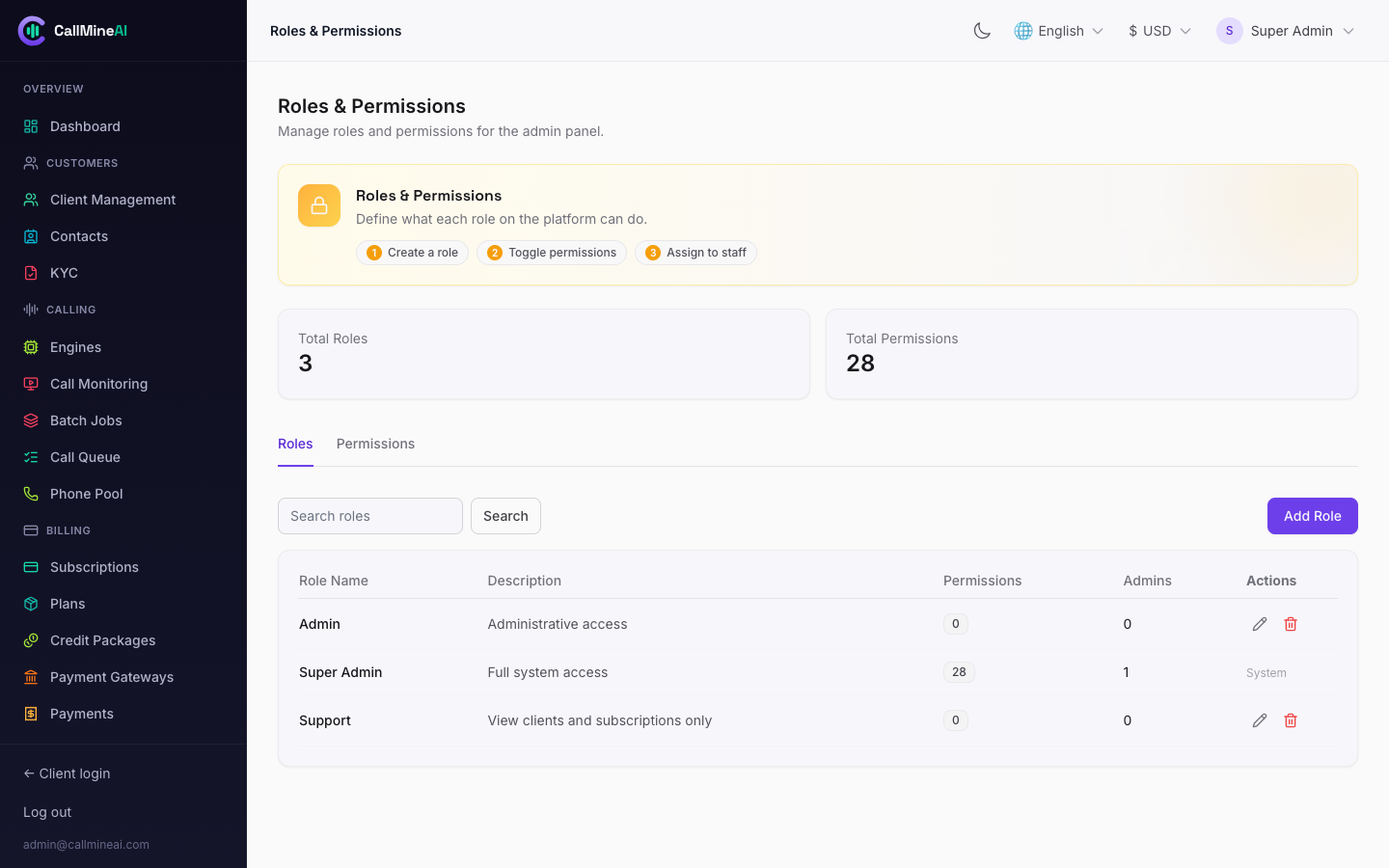
Admin roles and their granular permissions. See Roles & Permissions.
See Roles & Permissions.
Roles & permissions
/admin/roles-permissions
Single tabbed page to manage admin roles and the permission catalog. Assign permissions to roles; those permissions gate every admin screen and action.
Admins
/admin/admins
Manage admin user accounts: create, edit, delete, and toggle status (admins.toggle-status) to enable/disable an admin without deleting them.
System
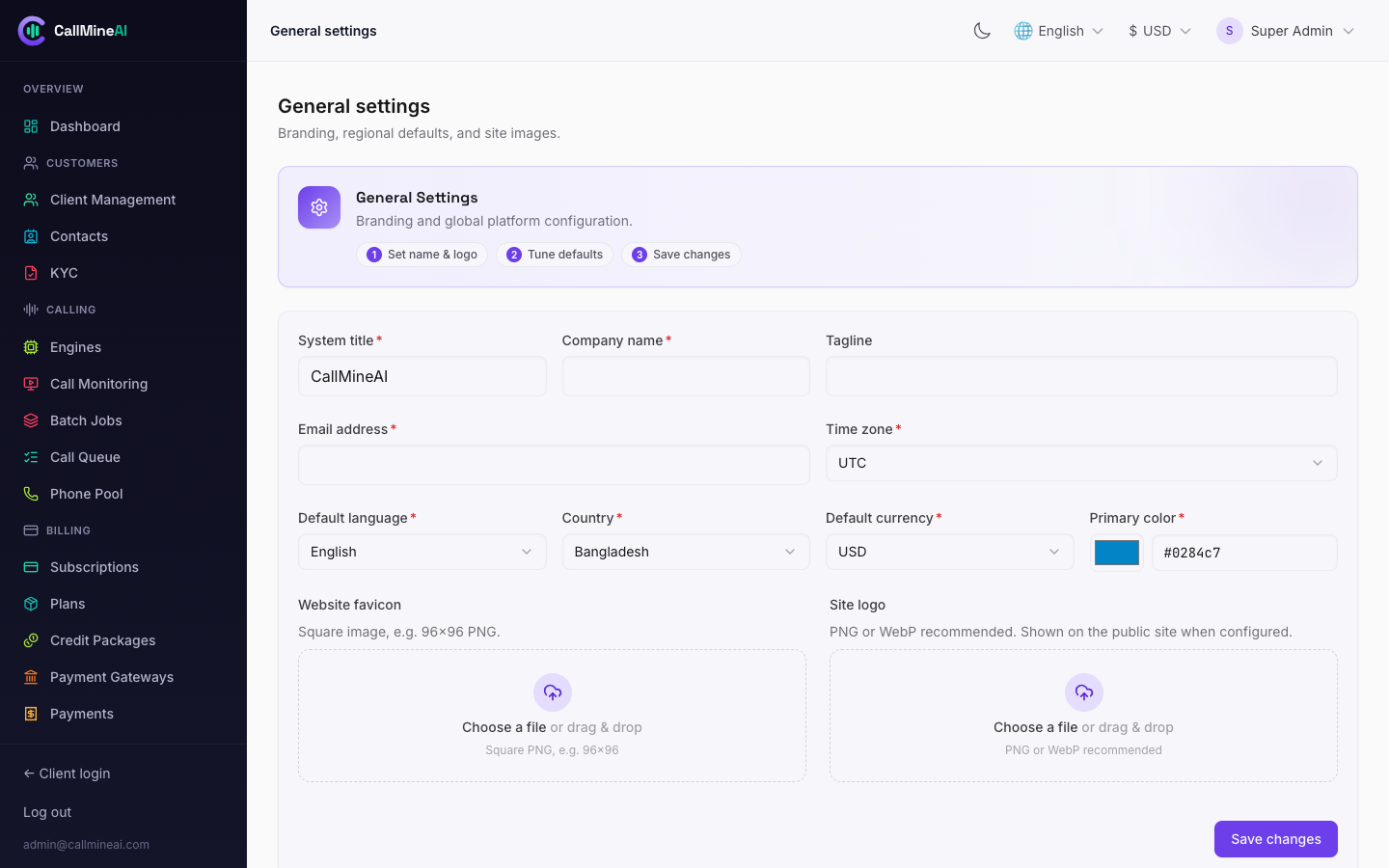
General settings — branding, regional defaults and site images.
General settings
/admin/general-settings
Core branding and platform-wide options.
Settings
/admin/settings
System settings (feature toggles and operational configuration).
Social login
/admin/social-login
Firebase-based social login configuration for the customer app.
Notifications (broadcast)
/admin/notifications
Compose a broadcast notification (client_id = null) that reaches all vendors. It surfaces in each vendor's in-app bell with an unread badge. Broadcasts can be created and deleted.
Audit log
/admin/audit-log
Chronological record of administrative actions for compliance and troubleshooting.
Permission quick reference
| Area | View permission | Manage permission |
|---|---|---|
| Clients / Contacts / KYC | view_clients | create_clients / update_clients / delete_clients |
| Plans / Credit packages | view_plans | create_plans / update_plans / delete_plans |
| Subscriptions | view_subscriptions | — |
| Payments / Gateways | view_payment_gateways | manage_payment_gateways |
| Engines / Queue / Phone pool / Messaging / System | view_settings | manage_settings |
| Email system | view_email_settings | manage_email_settings |
| Currencies | view_currencies | manage_currencies |
| Languages / Translations | view_languages | manage_languages |
| Roles & permissions | view_admin_roles | manage_admin_roles |
| Admins | view_admins | create_admins / update_admins / delete_admins |
Related guides
- Campaigns & Calls — the calling engine end to end
- Billing & Credits
- Telephony
- Voice AI
- Messaging
- Roles & Permissions
- Localization