Billing & Credits
CallMineAI runs on a credit economy layered over optional recurring subscriptions. Customers (vendors) spend credits to place calls and to hold phone numbers; plans set how much of the product each customer can use. This page explains the credit ledger, credit packages, plan limits, and the pluggable subscription gateways.
Credits
Credits are the single currency of the platform. 1 credit ≈ 1 minute of calling.
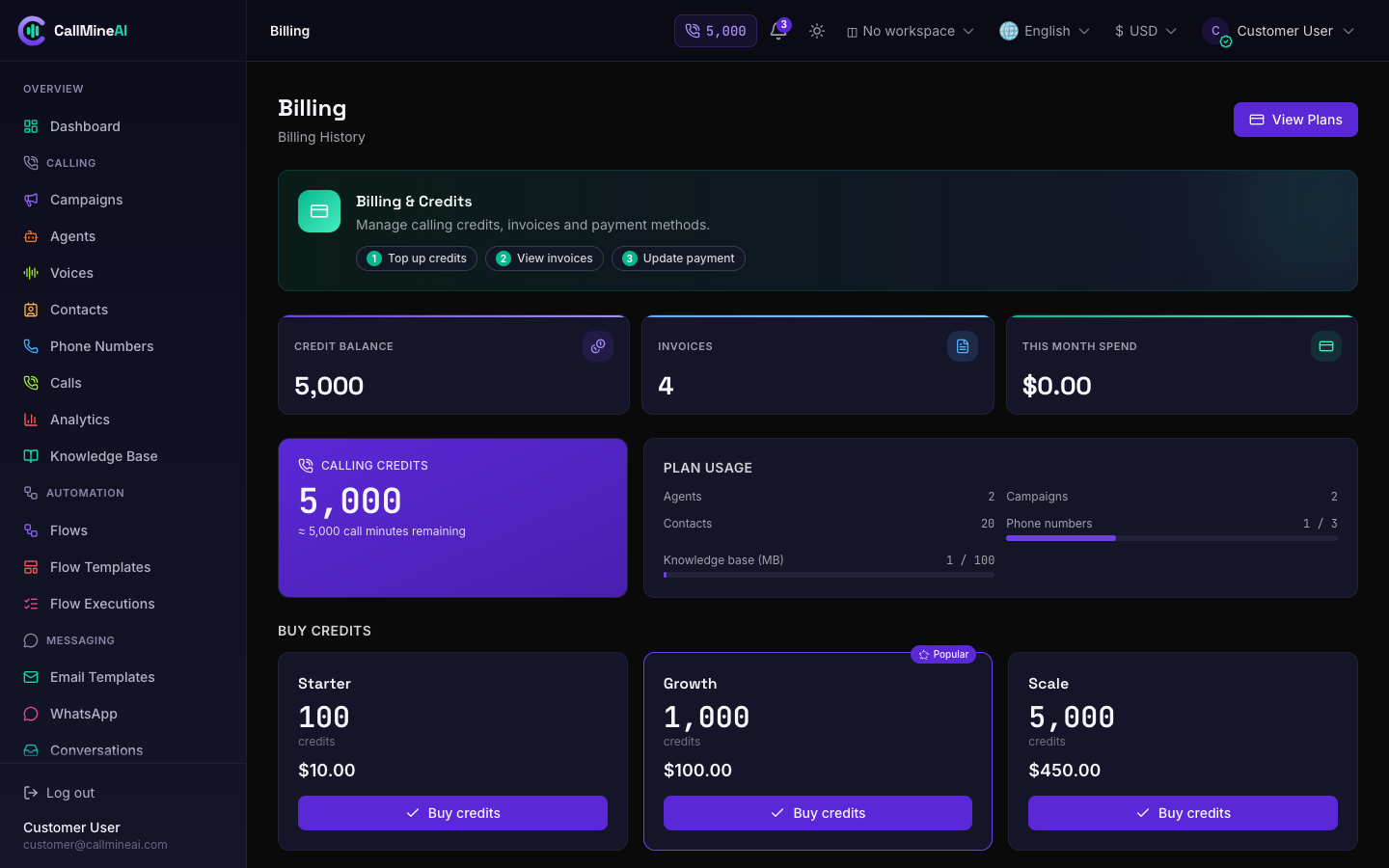
The customer billing page — credit balance, usage and top-up packages.
The credit_ledger table is the source of truth for every customer's balance. There is no balance column anywhere else — every grant, charge, purchase and adjustment appends one immutable row carrying the running balance_after, and the balance is simply the latest row for that client (App\Services\Credits\CreditLedgerService). Writes take a row lock so the balance stays consistent under concurrent calls, and a debit that would drop below zero is rejected.
How a call is charged
When a call completes, it is billed by started minute:
credits = ceil(duration_seconds / 60) × voice cost
The per-minute voice cost is CALL_VOICE_COST_CENTS (default 10¢) and the agent's chosen LLM adds its own per-minute cost — see Voice & AI. The charge is clamped to the available balance so call processing never throws; the amount billed is recorded on the call's credits_charged.
How a phone number is charged
Each active phone number costs a flat monthly fee in credits, set by CALL_NUMBER_COST_CREDITS (default 50). This is charged when the number is provisioned and on the recurring monthly cycle. See Telephony.
Economics env keys
| Key | Purpose | Default |
|---|---|---|
CALL_CREDIT_PRICE_CENTS | Sale price of one credit, in cents | 10 |
CALL_VOICE_COST_CENTS | Voice cost per minute, in cents | 10 |
CALL_NUMBER_COST_CREDITS | Monthly cost per phone number, in credits | 50 |
CALL_DEFAULT_LLM | Default conversation model for new agents | gpt-4o-mini |
CALL_CREDIT_PRICE_CENTS=10
CALL_VOICE_COST_CENTS=10
CALL_NUMBER_COST_CREDITS=50
CALL_DEFAULT_LLM=gpt-4o-mini
Tips
These are defaults read from config/calling.php. They can be overridden per deployment in the admin settings without editing .env.
Credit packages
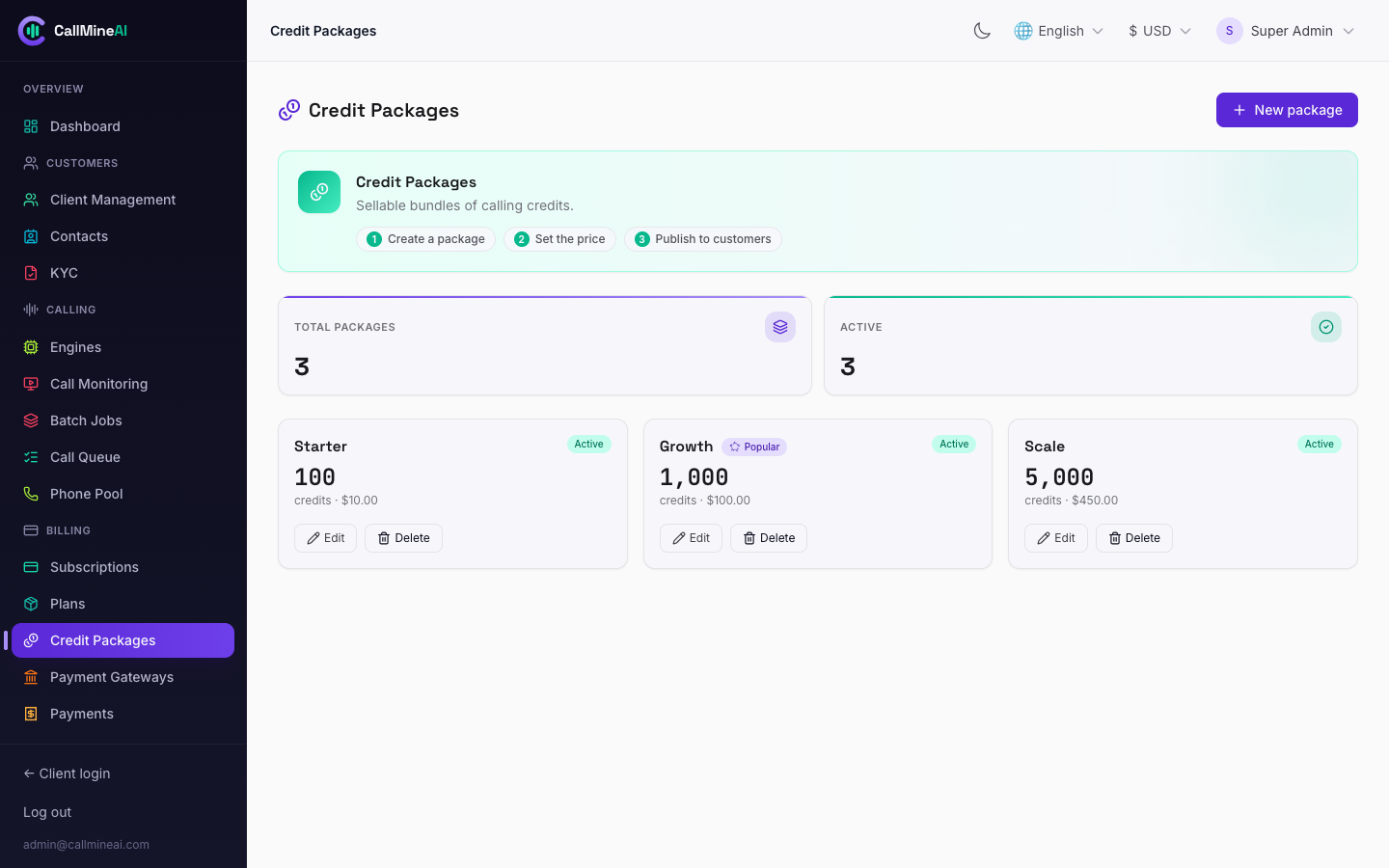
Credit packages customers can buy — configured in the admin panel.
Credit packages are one-off top-ups sold on top of a subscription. The flow is deliberately approval-based so it works with or without a live payment gateway:
- An admin creates packages (credits + price) at
/admin/credit-packages. - A customer requests a purchase from
/app/billing— this creates acredit_purchaserow with statuspending(CreditPurchaseService::initiate). - An admin approves the purchase;
CreditPurchaseService::fulfillmarks itpaidand grants the credits to the ledger once (idempotent — safe against double approval or a gateway webhook replay).
Tips
Admins can also grant or deduct credits directly on a customer from the client detail screen (admin_adjust), which writes a ledger row like any other movement.
Plans & limits
A plan defines per-customer resource limits and feature flags. The effective plan is resolved by App\Services\Plans\PlanLimits (active client subscription → active user subscription → the free plan as fallback).
Resource limits
| Limit key | Plan column | Meaning |
|---|---|---|
agents | agents_limit | Max AI agents |
campaigns | campaigns_limit | Max campaigns |
contacts | contacts_limit | Max contacts |
numbers | numbers_limit | Max active phone numbers |
kb_mb | kb_mb_limit | Knowledge-base storage, in MB |
Create routes are guarded by the plan.limit middleware, e.g. plan.limit:agents on agent creation and plan.limit:contacts on contact import. When usage + 1 would exceed the limit, the action is blocked.
Feature flags
Add-on modules are gated by the plan.feature middleware against per-plan boolean flags:
| Feature | Gate | Unlocks |
|---|---|---|
messaging | plan.feature:messaging | Email + WhatsApp templates and the conversations inbox |
whatsapp | — | WhatsApp channel within messaging |
api | plan.feature:api | Scoped REST API keys |
sip | plan.feature:sip | BYO SIP trunks & SIP numbers |
custom_roles | — | Custom vendor RBAC roles beyond the system roles |
team_seats | — | Additional team members (per team_seats_limit) |
Admins manage plans at /admin/plans.
Subscriptions & gateways
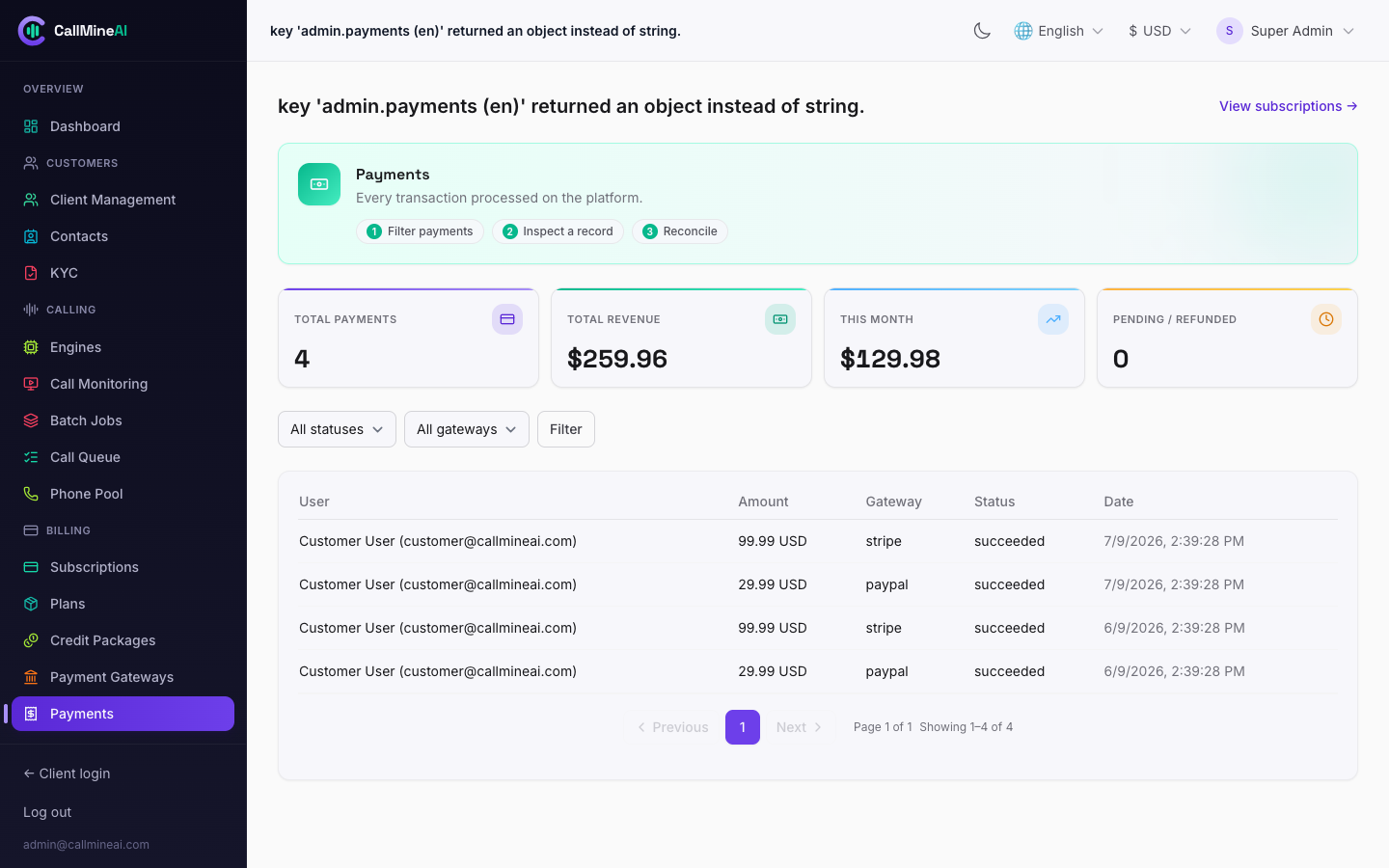
Payment transactions across all gateways (Stripe / PayPal / Paddle).
Recurring billing is handled by a pluggable BillingGatewayRegistry. Three gateways ship: Stripe, PayPal, and Paddle. Each is enabled independently by flipping its BILLING_*_ENABLED flag and filling in its credentials; a disabled gateway never appears at checkout.
| Key | Purpose | Default |
|---|---|---|
BILLING_STRIPE_ENABLED | Enable Stripe | false |
STRIPE_SECRET | Stripe secret key | — |
STRIPE_WEBHOOK_SECRET | Stripe webhook signing secret | — |
STRIPE_SUCCESS_URL | Redirect after a successful checkout | ${APP_URL}/app/billing?checkout=success |
STRIPE_CANCEL_URL | Redirect after a canceled checkout | ${APP_URL}/app/pricing?checkout=canceled |
BILLING_PAYPAL_ENABLED | Enable PayPal | false |
PAYPAL_CLIENT_ID / PAYPAL_CLIENT_SECRET | PayPal credentials | — |
PAYPAL_SANDBOX | Use PayPal sandbox | true |
PAYPAL_WEBHOOK_ID | PayPal webhook id | — |
BILLING_PADDLE_ENABLED | Enable Paddle | false |
PADDLE_API_KEY | Paddle API key | — |
PADDLE_ENVIRONMENT | sandbox or production | sandbox |
PADDLE_WEBHOOK_SECRET | Paddle webhook signing secret | — |
BILLING_STRIPE_ENABLED=true
STRIPE_SECRET=sk_live_xxx
STRIPE_WEBHOOK_SECRET=whsec_xxx
STRIPE_SUCCESS_URL="${APP_URL}/app/billing?checkout=success"
STRIPE_CANCEL_URL="${APP_URL}/app/pricing?checkout=canceled"
Each gateway posts back to its own webhook so subscription state stays in sync:
POST /webhooks/stripe
POST /webhooks/paypal
POST /webhooks/paddle
Warning
Success/cancel URLs point at customer pages under the /app prefix. Keep them aligned with your APP_URL and don't change the paths unless you also update the corresponding routes.
Where these live in the UI
| Panel | Pages |
|---|---|
| Customer | /app/billing (balance, buy credits, credit history), /app/pricing (plans), /app/subscription |
| Admin | /admin/plans, /admin/subscriptions, /admin/payments, /admin/credit-packages, /admin/payment-gateways |
See also
- Configuration — full env reference.
- Telephony — number provisioning and the monthly number fee.
- Voice & AI — how voice + LLM costs combine into an agent's per-minute cost.