Localization
CallMineAI ships with two independent localization systems: multi-currency display and multi-language (i18n) UI. Both are seeded with sensible defaults and are fully managed from the Super Admin panel — see the Admin panel guide.
Multi-currency
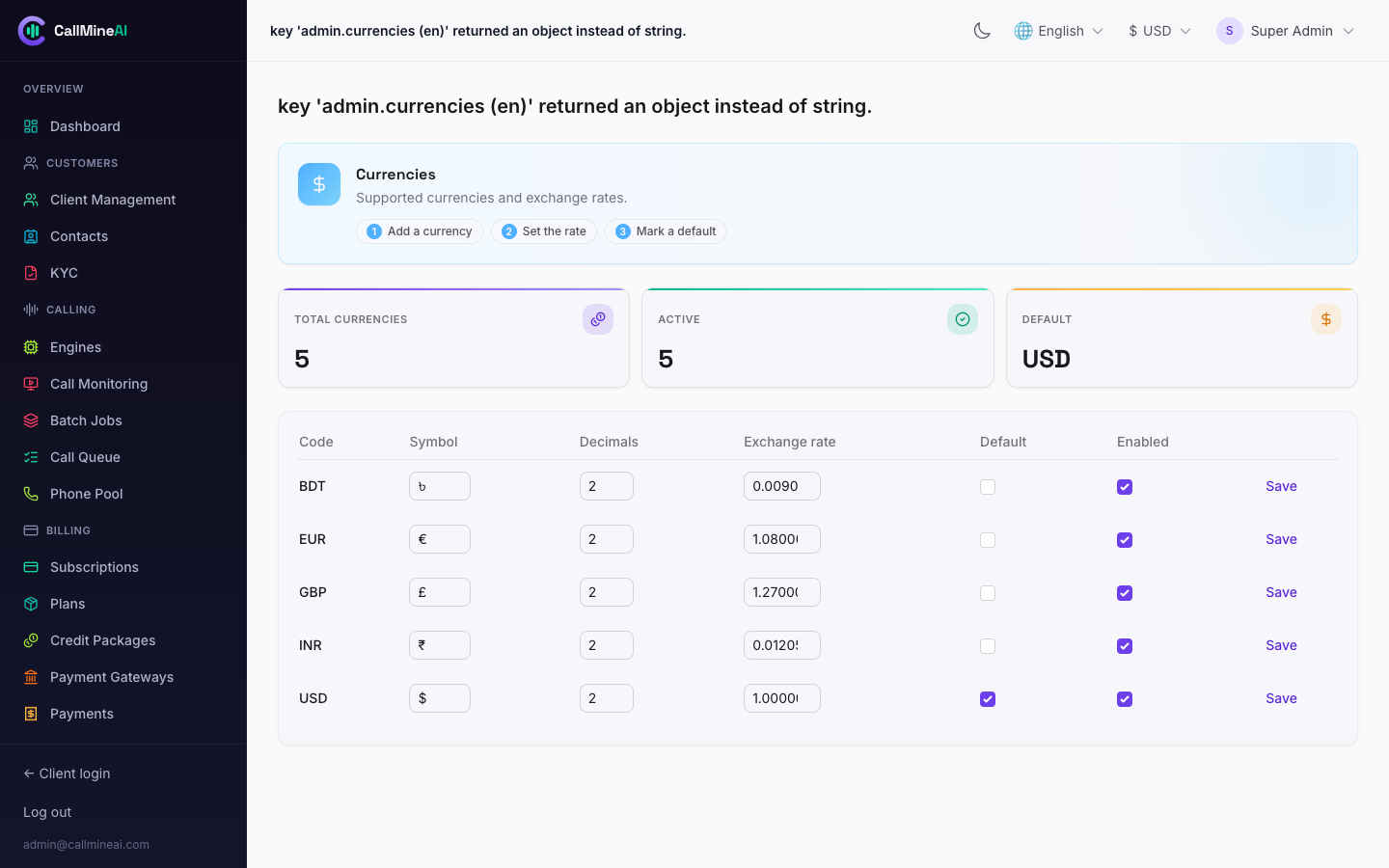
Manage enabled currencies and exchange rates from the admin panel.
Prices and credit packs are stored once (in the default currency, USD) and displayed in whichever currency the viewer selects.
How it works
- Currencies are managed by the admin at
/admin/currencies. - Each currency stores an
exchange_ratethat is USD-per-unit — i.e. what one unit of that currency is worth in USD (USD itself is1). This is the opposite of a "foreign-per-USD" rate, so double-check the direction when editing rates. App\Services\CurrencyServicedoes the conversion and formatting:convert()takes an amount in the smallest unit (cents), goes via USD, and returns cents in the target currency.format()/formatConverted()render the value with the currency symbol and decimal places.
- Customers pick their display currency from the switcher in the topbar; it changes how amounts are shown without altering the stored price.
Seeded currencies
| Code | Symbol | Default | Example rate (USD per unit) |
|---|---|---|---|
| USD | $ | Yes | 1 |
| EUR | € | No | 1.08 |
| GBP | £ | No | 1.27 |
| INR | ₹ | No | 0.01205 |
| BDT | ৳ | No | 0.00909 |
Exchange-rate direction
exchange_rate is USD-per-unit, not units-per-USD. For example EUR is 1.08 (1 EUR ≈ 1.08 USD), and INR is ~0.012 (1 INR ≈ 0.012 USD). CurrencyService converts to USD by multiplying by the source rate and dividing by the target rate — an inverted value silently produces wrong prices.
Multi-language (i18n)
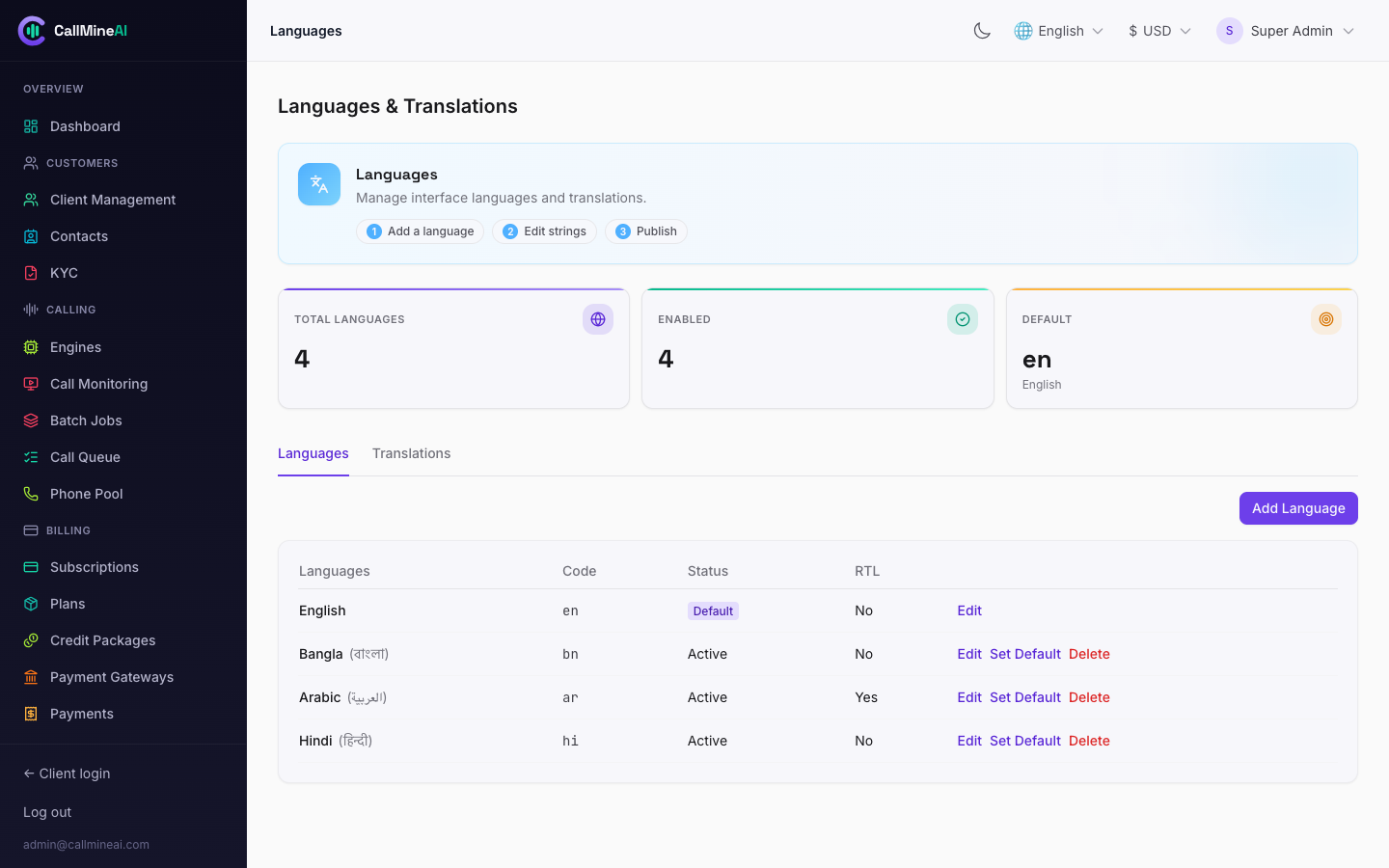
Enable UI languages and set the default locale.
The interface is translatable per locale. Translation strings live as JSON dictionaries in resources/js/locales/ (one file per language, e.g. en.json, bn.json, ar.json, hi.json).
How it works
- Enabled locales are seeded and stored in the
localestable; the admin manages locales and edits translations at/admin/locales. - The client fetches a locale's dictionary via
I18nController, which returns the enabled locale's strings as a nested tree so i18next resolves dotted keys liket('client.orders_ui.title'). Requests for a disabled or unknown locale fall back to the default (English). - Customers switch language from the topbar switcher.
- RTL is supported: Arabic (
ar) is flaggedis_rtl, so selecting it flips the layout to right-to-left.
Seeded locales
| Code | Language | Native | Default | RTL |
|---|---|---|---|---|
| en | English | English | Yes | No |
| bn | Bangla | বাংলা | No | No |
| ar | Arabic | العربية | No | Yes |
| hi | Hindi | हिन्दी | No | No |
Translation coverage
Core UI strings — navigation, common controls, and the admin surfaces — are translated. Deeper, page-specific strings fall back to English when a translation is missing, so an untranslated locale still renders a usable (mixed-language) interface rather than blank keys. Fill gaps at /admin/locales.