Roles & permissions
CallMineAI has two independent RBAC systems, one per panel. They do not share roles, permissions, or user tables — an admin permission has no meaning inside a customer workspace and vice versa. See Architecture for how the two panels and guards are separated.
| System | Who it governs | Model | Middleware | Managed at |
|---|---|---|---|---|
| Admin RBAC | Platform operators | AdminUser + admin roles/permissions | permission: | /admin/roles-permissions |
| Team RBAC (add-on) | A customer's own team members | User + client_roles/client_permissions | client.permission: | /app/team |
Admin RBAC (Super Admin panel)
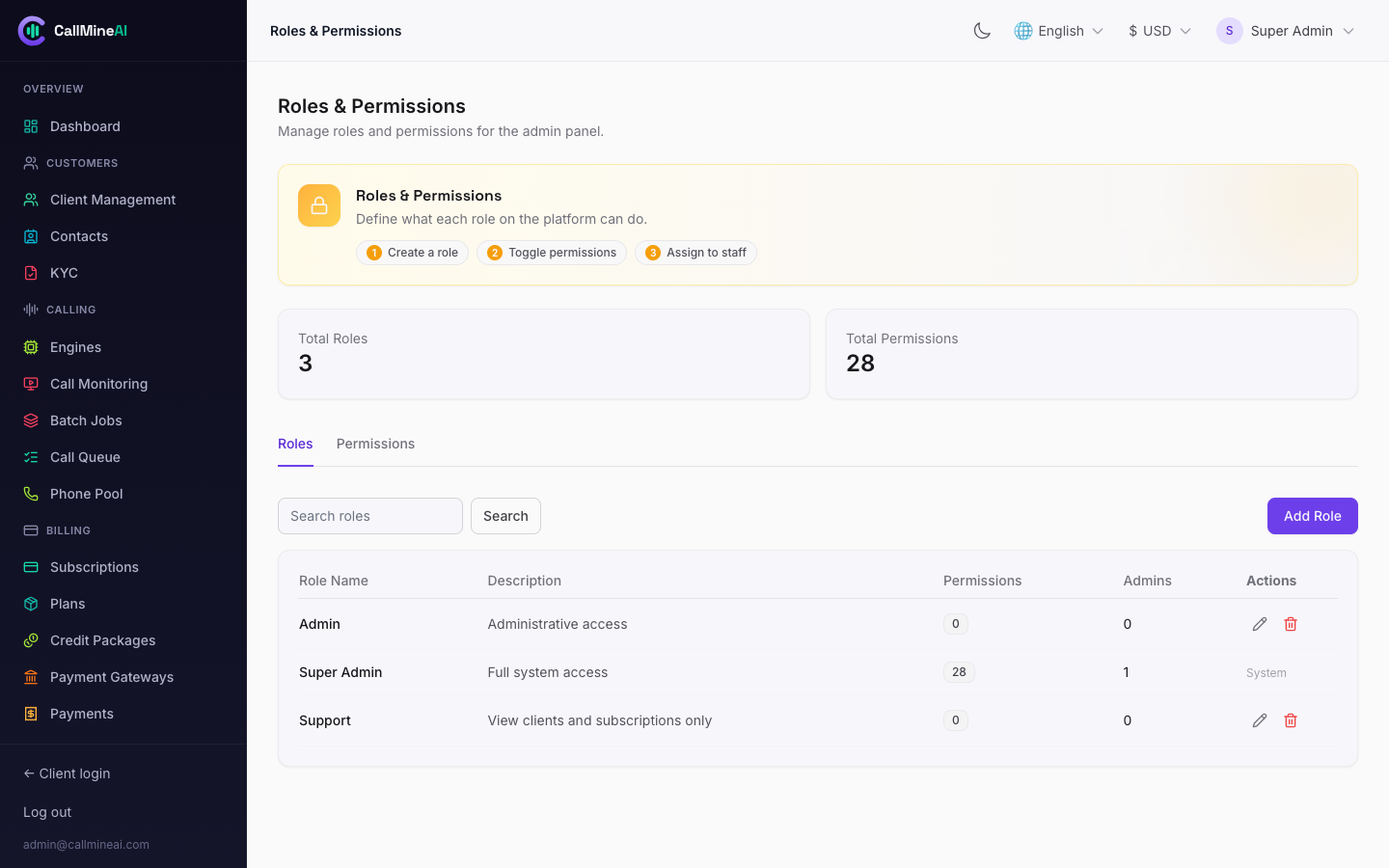
Admin roles, each mapped to a set of granular permissions.
Admin users authenticate on the admin guard and are authorized by the RequirePermission middleware, applied to routes as permission:<key>. The middleware:
- rejects unauthenticated requests (redirect to
/admin/login, or401for JSON), - logs out and blocks inactive admin accounts,
- grants access if the admin holds any of the listed permission keys, else redirects with
Access denied.
Permission keys are coarse verb_resource strings, for example:
view_clients      create_clients     update_clients     delete_clients
view_plans        create_plans       update_plans       delete_plans
view_settings     manage_settings
view_languages    manage_languages   view_currencies    manage_currencies
view_admin_roles  manage_admin_roles view_admins        create_admins ...
A single route can require one of several keys, e.g. the roles page uses permission:view_admin_roles,manage_admin_roles. The Super Admin role is granted every permission and is used to manage all other roles and admins.
Where admin permissions are enforced
Every entry in routes/admin.php carries an explicit ->middleware('permission:...'). To lock down a new admin screen, add the route under the appropriate key and grant that key to the roles that should see it at /admin/roles-permissions.
Team RBAC (per-customer, add-on)
Team RBAC lets a customer sub-divide access among their own team members. It is a plan-gated add-on: a plan exposes team_seats_limit (how many members) and custom_roles_enabled (whether the customer may create roles beyond the four built-in system roles).
Authorization is enforced by the RequireClientPermission middleware, applied as client.permission:<module>.<action>. It calls $user->canDo($permission) and returns 403 (or a JSON 403) when the member lacks the permission.
Permission catalog
Permissions are module.action keys generated by App\Services\Team\ClientRbac. The modules and their actions:
| Module | Actions |
|---|---|
| dashboard | read |
| campaigns | read, create, update, delete |
| agents | read, create, update, delete |
| voices | read |
| contacts | read, create, update, delete |
| calls | read |
| numbers | read, create, delete |
| knowledge | read, create, delete |
| integrations | read, manage |
| messaging | read, manage |
| analytics | read |
| billing | read, manage |
| team | read, manage |
| settings | read, manage |
| api | read, manage |
Examples of route gating in routes/client.php:
GET  /app/billing        client.permission:billing.read
POST /app/billing/credits client.permission:billing.manage
GET  /app/team           client.permission:team.read
POST /app/team           client.permission:team.manage
System roles
Four system roles are created for every customer (idempotently, via ClientRbac::ensureSystemRoles). Their names are locked; with custom_roles_enabled, a customer can add extra custom roles on top.
| Role | Key | Grants |
|---|---|---|
| Owner | owner | All permissions in the catalog. |
| Admin | admin | All permissions in the catalog (same as Owner). |
| Manager | manager | Everything except all billing.*, team.manage, settings.manage, and all api.*. |
| Viewer | viewer | Read-only — every *.read permission and nothing else. |
Manager vs Owner/Admin
A Manager runs the day-to-day calling operation (campaigns, agents, contacts, calls, messaging) but cannot touch billing, manage teammates, change workspace settings, or manage API keys.
Legacy administrator role
For backward compatibility, a member whose client_role is the legacy value administrator — or who has no assigned Team role at all — resolves to full access (['*']) via User::clientPermissionKeys(). This keeps pre-RBAC customers working: existing owners retain full control until roles are explicitly assigned. Once you assign a real system/custom role to a member, their permissions narrow to that role's grant.
Don't rely on the legacy fallback
The empty-role → full-access fallback exists only for migration safety. For proper least-privilege, assign each member one of the four system roles (or a custom role) at /app/team.